The old way
The InsightBase way
Three steps to your
first dashboard.
No SQL expertise. No drag-and-drop. Just describe what you need.
Connect your datasource
Link any of our 9 supported databases in seconds — Postgres, MongoDB, MySQL, and more. Credentials are AES-256-GCM encrypted end-to-end.
Describe your dashboard
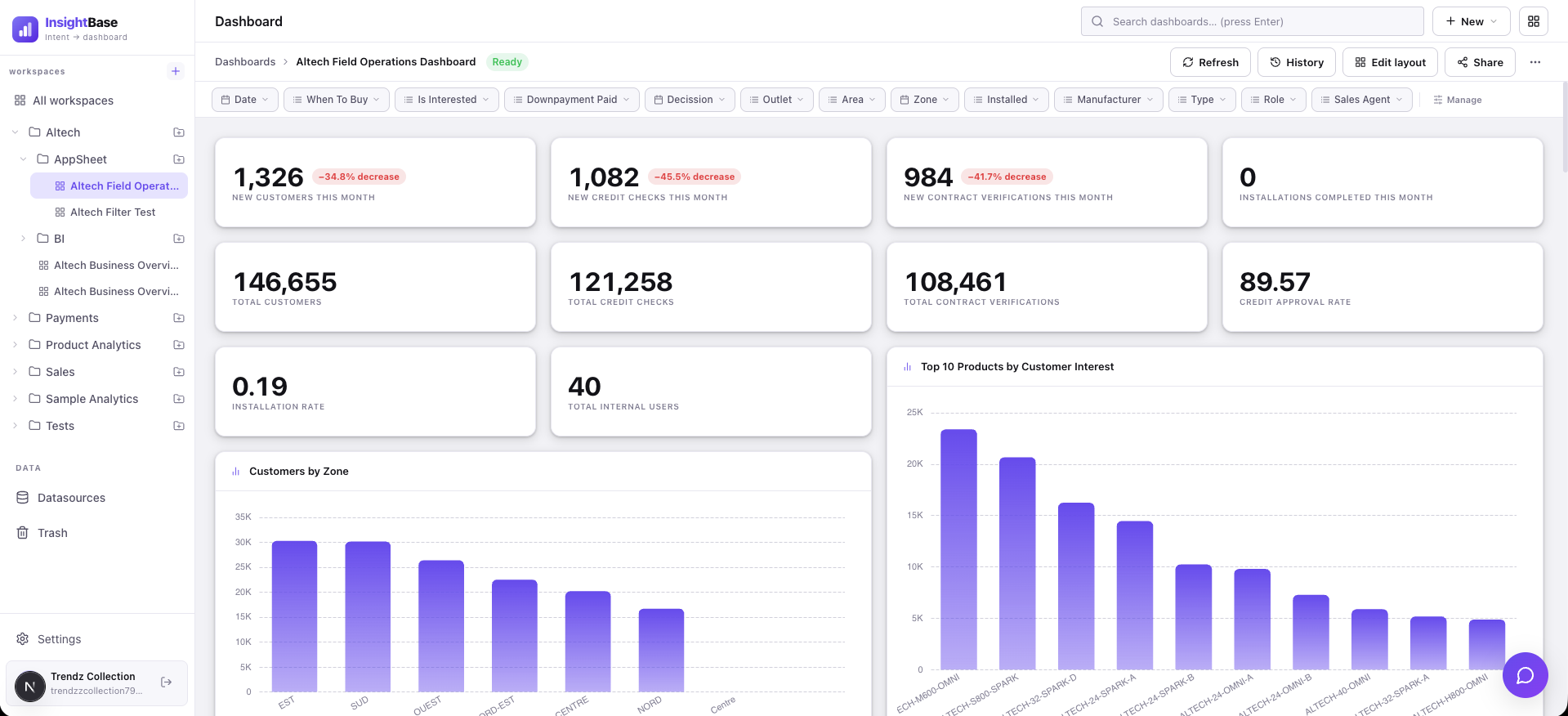
Write a short .md manifest describing what you want to see, or upload a design screenshot as a layout reference.
InsightBase generates it
Queries, filters, chart types, and layout — all generated automatically by the AI. Ready to share in under 60 seconds.
Works with the database you already have.
SQL or NoSQL, warehouse or cache — connect it once and InsightBase understands its schema automatically.
Your database, understood instantly
InsightBase reads your schema, infers the meaning of every column, and builds a semantic map — so the AI knows the difference between an order amount and a shipping fee without you explaining it.
Describe it. Get it.
Write what you want in plain language. InsightBase generates the SQL or MQL, wires the cross-panel filters, and arranges the layout — in under 60 seconds.
Your dashboard, in your product
Generate an embed token and drop your dashboard into any web app with two lines of code. No login required for your end users.
InsightBase.render('#dashboard', {
token: 'ib_embed_...',
theme: 'dark'
})
Chat, CLI, or your own AI tools — same brain
Ask the in-app assistant a question, run a CLI command in your terminal, or point Claude Desktop or Cursor at our MCP server. All three talk to the exact same tools, so nothing is duplicated or out of sync.
AI gets you 95% there. You finish the last 5%.
Open any panel — or any standalone saved query — and edit the generated SQL or MQL directly, with live results and a visualization picker (table, bar, line, pie, stat) right next to the editor.
Simple, transparent pricing.
Free to start. No credit card required.
Pro
Enterprise